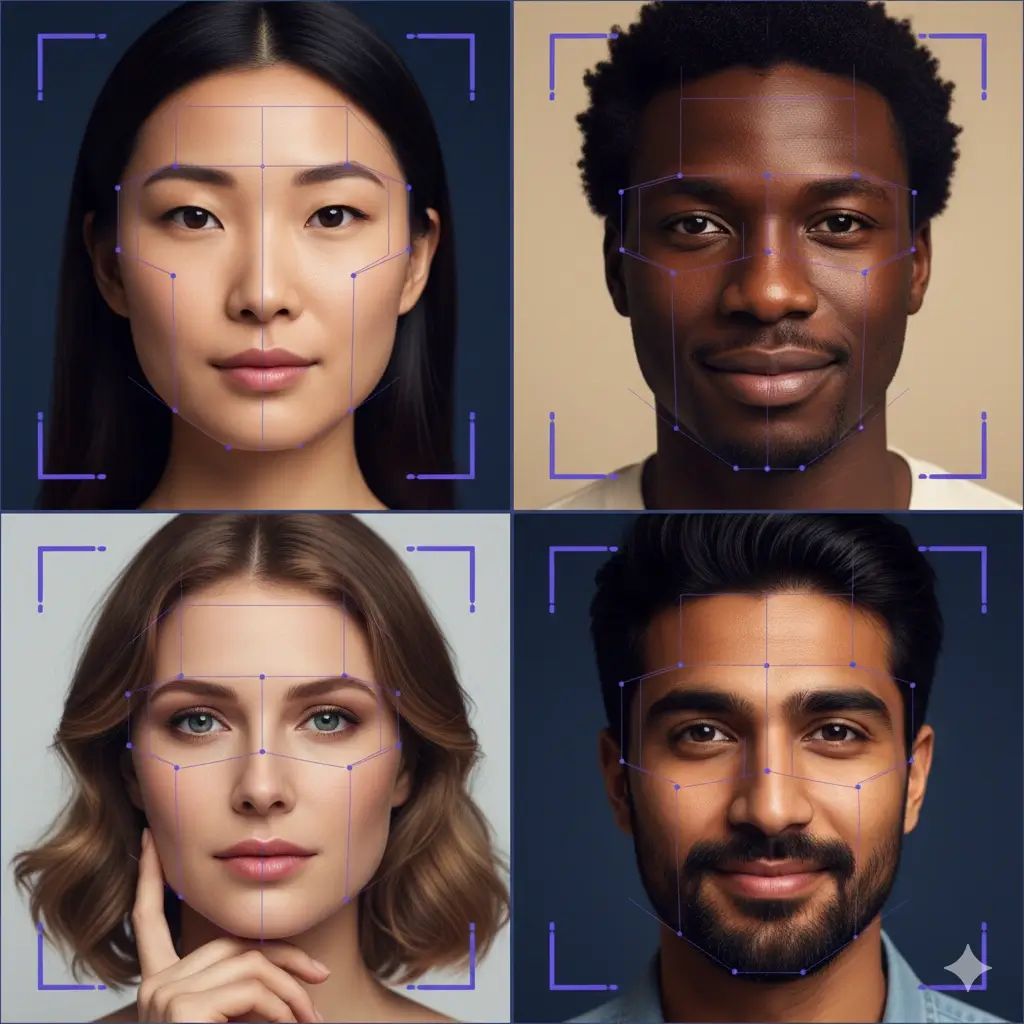
Ethnicity Detector

Upload a clear selfie to use our ethnicity detector. This AI ethnicity analyzer reads visible facial patterns in one image and returns a fast appearance-based estimate in seconds.

Sample portrait for ethnicity detector upload Example selfie for ethnicity analysis

Upload a Photo for Ethnicity Detection

Use a front-facing photo with even lighting. Drag and drop, click to upload, or paste an image.

Important

This ethnicity detector reads appearance, not identity

People searching for an ethnicity detector usually want a fast answer from a photo, but the page still needs to explain what the tool is really doing. This detector analyzes visible facial cues in one uploaded image. It does not know your family history, self-identified ethnicity, culture, citizenship, or genealogy.

What the detector analyzes

The ethnicity detector looks at visible facial structure in the uploaded photo, such as facial outline, eye area, nose shape, cheek emphasis, skin tone cues, and proportions that may appear more often in some populations than others. It is analyzing one image, not your full background.

What changes the result

Photo quality matters. Lighting, blur, shadows, camera angle, facial expression, hairstyle, makeup, filters, and partial occlusion can change what the ethnicity analyzer sees. A clean front-facing portrait usually gives a more stable ethnicity checker result than a dark screenshot or side-angle image.

What it cannot confirm

This ethnicity finder cannot confirm true ancestry, legal nationality, citizenship, race classification, or DNA heritage. Use it as a visual estimate from a face photo. If you want inherited ancestry data, DNA testing and family research answer a different question.

How to Use This Ethnicity Detector in 3 Steps

Step 1

Upload one clear face photo

Choose a sharp, front-facing selfie or portrait where the face is easy to read. People looking for an ethnicity face test or ethnicity test from face usually want a quick answer, but the input image still shapes the result. Avoid heavy filters, group photos, and extreme side angles.

Step 2

AI detects visible facial patterns

The ethnicity detector finds landmarks and compares visible facial structure in your image against broad learned patterns. This is why users also search for terms like ethnicity analyzer, ethnicity checker, and ethnicity photo analyzer. The model is reading what the camera captured, not hidden ancestry data.

Step 3

Review the top match and confidence signal

You get a primary visual match, a confidence-style signal, and short notes on the facial cues that stood out. If you upload a different photo, the estimate can shift because the ethnicity finder is responding to a new visual input rather than repeating the same analysis.

Best Photos for a More Consistent Ethnicity Checker Result

People do not just want a fast ethnicity detector result. They want a result that feels believable when they test another photo. These upload tips give the AI a cleaner image to analyze.

Use a front-facing portrait

A straight-on selfie gives the ethnicity detector a balanced view of your face shape, eye area, jawline, and other visible cues. Side angles or tilted heads hide facial structure and can change the output.

Choose even lighting

Natural light or soft indoor light helps the ethnicity analyzer read more detail. Underexposed images, strong backlighting, or harsh shadows can hide the cues used for a detect ethnicity from photo result.

Upload one face only

This ethnicity checker is built for a single person in one frame. Group photos, tiny faces, or distant subjects reduce clarity and make the detector less consistent.

Avoid filters and heavy editing

Beauty filters, strong retouching, AI edits, and aggressive color grading can alter facial cues. If you want a cleaner ethnicity test from face result, upload the most natural image you have.

Quick checklist before you upload

If you plan to compare more than one ethnicity detector result, keep image conditions similar each time so the tool is reading a similar kind of portrait.

Face fully visible

Avoid sunglasses, masks, hands, or strong shadows over the eyes, nose, and jawline.

Reasonable image size

Use a clear original image instead of a heavily compressed screenshot from social media.

Neutral expression

Extreme expressions can shift cheek shape, eye openness, and facial tension, which affects what the detector reads.

Minimal visual distortion

Keep the face centered and avoid dramatic wide-angle distortion, motion blur, or low-resolution crops.

What an Ethnicity Detector Actually Detects in a Photo

Searches like ethnicity detector and detect ethnicity from photo usually come from people who want a clear answer to one simple question: what does my face visually resemble in this picture? A good tool page should answer that question directly. This ethnicity detector analyzes the visible structure in one uploaded image and compares those cues to broad facial patterns the model has learned from many examples. That includes the overall face shape, how the eye area appears, cheekbone emphasis, jawline balance, nose structure, and other visible proportions captured by the camera. The detector is not making a legal claim, a census classification, or a statement about your self-identity. It is reading a photo. That difference matters because ethnicity in real life can involve ancestry, culture, language, family history, and personal identification, while an AI ethnicity analyzer only sees what is visually present in one image. This page is therefore written around words like detector, analyzer, estimate, visible cues, and match instead of pretending a face photo alone can reveal everything about who you are.

Ethnicity detector analyzing visible facial structure in a portrait

Why the Same Person Can Get Different Ethnicity Analyzer Results

One of the most useful things an ethnicity checker can explain is why two uploads from the same person do not always return the same result. If Monday's photo is a bright, centered selfie and Tuesday's image is a darker side-angle screenshot, the ethnicity detector is not receiving the same visual evidence twice. The eye area may look different. The apparent skin tone can shift under different light. Blur can soften facial contour. Makeup, facial hair, hairstyle, smile intensity, cropping, and shadow can all change what the model can read. That does not automatically mean the ethnicity analyzer failed. Very often it means the new photo changed the visible cues. This is also why the best detect ethnicity from photo pages include photo guidance near the tool instead of hiding it in a tiny FAQ. Users care about consistency. By explaining how angle, lighting, editing, and sharpness affect the detector, the page feels more credible and helps people understand why a photo-based estimate should be treated as an informed visual guess rather than a fixed identity label.

Ethnicity analyzer example showing how photo conditions can change a result

Ethnicity Detector vs DNA Test: Different Inputs, Different Answers

A frequent hidden intent behind ethnicity detector searches is comparison. Many users want to know whether an ethnicity face test can replace a DNA ancestry test. The honest answer is no. This detector reads visible traits in one photo. A DNA service studies inherited genetic markers and compares them to reference populations using a statistical model. Those are different inputs, so they answer different questions. A photo-based ethnicity finder is useful when you want a fast appearance-based estimate, a curiosity-driven result, or a lightweight way to explore how your face may be perceived. DNA testing is the stronger method when the real goal is genealogical ancestry, inherited regional background, or family-line evidence. Family records and cultural history add even more context that a single image cannot provide. This page should satisfy the strong tool intent behind ethnicity checker and ethnicity test from face without creating the false expectation that a camera image can function like a lab test. Being explicit about that boundary improves trust instead of hurting conversion.

Ethnicity detector compared with ancestry and DNA testing

Why This Page Avoids Nationality and Identity Claims

Users sometimes arrive with overlapping searches like nationality from picture or what nationality do I look like, but an ethnicity detector should still be careful about what it promises. Nationality is a legal and political concept tied to citizenship or national status. Identity is personal and social. Neither one can be confirmed from visible facial cues alone. That is why this page uses a narrower frame: the AI examines facial patterns in a photo and returns an appearance-based estimate. It does not verify identity, determine citizenship, or tell you your real legal nationality. It also should not be used to label someone else with certainty. This distinction matters for both user trust and product safety. A more credible ethnicity checker is not the one that makes the biggest claim. It is the one that explains what the tool can describe, what can influence the output, and where the boundary sits between visible appearance and real-world identity. That is the positioning this page follows from the headline through the FAQ.

Ethnicity checker page explaining limits of nationality and identity claims

Example Results From the Ethnicity Detector

These examples show the style of result users expect from an ethnicity detector, ethnicity analyzer, or ethnicity checker by photo.

Ethnicity detector example showing a European appearance-based match
Ethnicity analyzer example showing an African appearance-based match
Ethnicity checker example showing an East Asian appearance-based match

Ethnicity Detector FAQ

How does an ethnicity detector work?

An ethnicity detector analyzes visible facial cues in the uploaded image and compares those patterns to examples the model has learned from many faces. The result is an appearance-based estimate from one photo, not a biological proof of ancestry or identity.

Can AI really detect ethnicity from a photo?

AI can estimate how a face visually aligns with broad ethnicity-related patterns in a photo, but it cannot fully know your self-identified ethnicity, culture, family history, or genealogy from that image alone. It is best used as a visual detector and analyzer, not as a final identity claim.

Is this the same as a DNA ethnicity test?

No. A DNA test studies inherited genetic markers, while this ethnicity detector studies visible facial appearance in one uploaded photo. They use different evidence and answer different questions. This page is for fast visual estimation, not genealogy-grade ancestry testing.

Why do different photos give me different ethnicity checker results?

Different photos change the visible cues available to the model. Lighting, angle, expression, hairstyle, blur, filters, and cropping can all affect what the ethnicity analyzer sees. A cleaner and more consistent portrait usually produces a more stable result.

Can this ethnicity detector tell my nationality?

No. Nationality is not a visual trait. This page should not be used to determine citizenship, legal nationality, or identity. It only provides an appearance-based ethnicity estimate from a face photo.

What kind of photo works best for an ethnicity face test?

A clear, front-facing portrait with even light usually works best. Avoid very dark images, heavy filters, sunglasses, masks, motion blur, and photos where the face is tiny in the frame. The better the photo quality, the easier it is for the detector to read facial structure.

How accurate is this ethnicity analyzer?

The result should be treated as a fast visual estimate, not an exact percentage of your real ancestry. Accuracy depends heavily on image quality, visible cues, and how clearly the face appears in the photo. That is why this page focuses on consistency tips instead of unsupported certainty claims.

Is my uploaded photo stored?

Users should always read the site's privacy and data handling terms before uploading personal photos. The safest way to describe this tool is as photo processing for an estimate, not as a place to upload highly sensitive or identifying images without checking the policy first.